


TOP TIER™ Station Finder
3.257.00 Reviews
App Specs
- Version
- 1.14
- Updated On
- License
- Free
- Downloads
- 50,000+
- Developer
- Top Tier Fuels
- Categories
- Auto & Vehicles
- Platform
- Android
Screenshots
 Analysis by AppCompare
Before deciding whether this belongs on a shared household phone, I’d start with one important distinction: TOP TIER™ Station Finder is a fuel-finding app, not an electric-vehicle charging locator. That changes what it is useful for. I’d reach for it when I want to locate fuel associated with the TOP TIER program, while keeping a separate tool handy for EV chargers, fuel prices, or live station details that matter to a particular trip.
Useful when a household shares the driving
For a family or group that passes one car between several drivers, a station finder can be a practical reference rather than an app everyone needs to use constantly. One person can check for a suitable stop before a commute or errand, then tell the next driver where to look. That kind of simple handoff is especially helpful when the usual driver is not the person taking the car that day.
I would not treat a station finder as a household account or a shared itinerary, though. If each person installs the app on their own phone, they can look things up independently; if the phone itself is shared, the next person should make sure they are looking at the right area and destination. A map left open from someone else’s trip can be misleading even when the app is working as intended.
Set expectations before relying on it
In the Auto & Vehicles category, the app’s specific purpose is finding TOP TIER fuel locations. It is not a general answer to every driving question. Before setting off, I’d use it to identify possible stops, then check the route and the station’s practical details through a navigation app or directly with the location when timing is important. That extra check is not busywork: it keeps a fuel-quality search from being mistaken for confirmation that a stop is open, convenient, or suited to every vehicle.
It is also worth setting a clear boundary between the app’s role and the driver’s attention. A passenger can help compare locations before departure, but I would not ask someone behind the wheel to browse a map while moving. For a shared car, deciding on a preferred stop before leaving is a safer and less stressful routine than trying to settle it in traffic.
Coordinating a stop without overcomplicating it
Imagine one person is taking the car across town for an appointment, while another will need it later. The first driver can use the finder to look for a relevant fuel stop near the route, then send the location through whatever communication method the household already uses. The second driver does not need to inherit an account or reproduce the search; they only need a clear destination and enough time to check whether it still suits their plans.
This is a modest workflow, but that is the point. I would not plan a whole family’s travel around assumptions about shared lists, saved favorites, or coordination tools. Treat the app as a lookup aid, and use ordinary messages or a shared calendar for the household part. That division avoids expecting a focused station finder to manage responsibilities it was not designed for.
Worth Reading Before You Choose

EA SPORTS FC Mobile 26 Is a Bigger Football Game, but It Takes Time

Flipboard Shows What News Apps Must Do Beyond the Feed

Switching to Android Auto Means Rethinking Your Driving Routine

Google Calendar Makes a Crowded Week Easier to Manage

Ludo King Makes the Most of the Minutes Between Plans

Baby Panda World Brings Quick Play to Modern Phones, but Its Game Library Feels Busy
Age, trust, and who should use it
The app is rated for Everyone, which makes its subject matter suitable for a broad audience, but that does not mean every child should be responsible for choosing a stop or handling a phone in the car. I’d let a younger passenger help search while an adult makes the final decision, particularly on an unfamiliar route. For teens who already help with errands, it can be a straightforward way to learn how to check fuel options before driving.
Top Tier Fuels is the developer, and the app is free to install. It has an average rating of 3.2 from around a hundred ratings, so I would approach it as a useful, focused reference rather than assuming every user finds it equally dependable or polished. Its modest adoption also means I would keep a familiar map or navigation app available as a fallback, especially for an unfamiliar area or a time-sensitive trip.
The App Experience
Let’s dive right in. From the get-go, TOP TIER™ Station Finder offers a seamless experience. Download it from your app store, and you’re greeted with a clean, intuitive interface. It’s like the app just knows you want to get down to business without fuss.
Interface and Usability
The home screen is where all the magic happens. You’ll find a map that automatically populates with nearby charging stations. The interface is sleek, with a minimalist design that ensures you’re not overwhelmed with too much information at once. I felt like a tech-savvy navigator ready to conquer the roads.
What I loved most is how responsive the app is. Zoom in, zoom out, or swipe around the map, and the app keeps up without a hitch. It’s like it anticipates your next move, making the experience almost intuitive.
Key Features
Here’s where TOP TIER™ Station Finder shines. It’s packed with features that make it a must-have for EV drivers.
- Real-Time Updates: Stations update in real-time, showing availability and wait times. No more guesswork!
- User Reviews: Each station comes with user reviews, so you know what to expect before you even pull up.
- Route Planning: Planning a road trip? The app helps you plan your route with charging stops along the way, ensuring you never run out of juice.
- Filter Options: Filter stations by connector type, charging speed, or even by those offering coffee nearby – because who doesn’t love a good caffeine fix?
The User Community
One of the coolest aspects is the community feel. Users can add tips or photos of the stations, making it a collaborative effort to improve the app’s utility. It’s like having a team of fellow EV enthusiasts in your pocket, always ready to help.
Performance on the Go
Let’s talk about performance. During my test runs, the app performed excellently without any crashes or slowdowns. Whether I was in the city or on a rural highway, it delivered consistent results. I felt confident knowing that the app had my back, no matter where I was headed.
Plus, the battery consumption was minimal. You’d think an app running real-time updates would be a battery hog, but not TOP TIER™ Station Finder. It’s optimized to be light on resources, which is a huge plus when you’re out and about.
Final Thoughts
All in all, TOP TIER™ Station Finder is a game changer for EV drivers. It simplifies the task of finding charging stations and integrates seamlessly into your travel plans. While no app is perfect, this one comes pretty darn close. Whether you’re a seasoned EV owner or a newbie, you’ll find this app indispensable. The ease of use, combined with its robust feature set, makes it a top pick in my books.
So, if you’re looking to make your EV driving experience smoother and more efficient, give TOP TIER™ Station Finder a spin. You might just find yourself wondering how you ever got by without it.
Where it fits alongside other driving apps
Compared with a general map, this app has a narrower job: it helps drivers look for stations associated with TOP TIER fuel rather than serving as the all-purpose route planner. That focus can be useful if fuel quality is the reason for your search. A standard navigation app is usually the better choice when the priority is turn-by-turn directions, comparing every nearby fuel stop, or organizing a complicated trip. I see them as complementary tools, not replacements for one another.
For a longer drive, I’d search before leaving and choose a likely stop along the route, then use navigation to reach it. That small two-step process is more dependable than assuming a specialized finder will cover every detail of a journey. It also gives a passenger time to check alternatives if the first choice would require an inconvenient detour.
Practical checks that make searches more useful
A nearby result is not automatically the best stop. I’d compare its position with the direction I’m already travelling, rather than choosing the closest pin and discovering that reaching it means doubling back. When travelling with others, I’d also agree on a simple fallback: if the preferred location does not suit the route, use a regular map to find another convenient option instead of debating while on the road.
Another useful habit is to search in context. If I’m running low, I would look before the situation becomes urgent and leave room to choose a sensible stop. If I’m just planning an ordinary errand, I can take more time to compare the finder’s results with my usual route. The app is most helpful as part of that decision, not as a guarantee that every stop will fit the moment.
Who will get the most from it
I’d recommend trying it if you drive regularly, care about finding TOP TIER fuel, and want a focused tool to consult alongside your normal maps. It may also suit a household where one person researches stops and shares the choice with other drivers. The free price makes it easy to test whether that role is useful in your own routine, and the current version is 1.14.
I’d skip it if you need a single app for charging an EV, comparing fuel prices, handling shared trip plans, or navigating every leg of a journey. The store information describes it as a TOP TIER finder; the published claims about charging locations, connector filters, wait times, community reviews, and route planning do not fit that purpose and should not guide a download decision. If those are the features you need, look for an app built specifically around them.
A sensible household verdict
For shared use, the best approach is to keep the app’s job small: use it to look for relevant fuel locations, make the driver responsible for the final stop, and rely on your usual navigation and communication tools for everything around that choice. That gives the household a practical reference without assuming it offers family profiles or shared controls.
TOP TIER™ Station Finder has 50K+ installs and works on Android 7.0 or later. Its release date was Oct 1, 2024. Those details help set expectations about its place as a focused utility, but the more important question is whether you want this particular kind of fuel search. I would keep it in the toolkit if the answer is yes, while treating a general map as the better companion for directions and broader comparisons.
Pros
- User-friendly interface for quick navigation.
- Real-time updates on station availability.
- Customizable notifications for preferred stations.
- Wide coverage of stations in urban areas.
- Minimal data usage for efficient performance.
Cons
- Limited support for rural locations.
- Occasional inaccuracies in station data.
- Ads can be intrusive at times.
- No offline mode available.
- Requires frequent updates for accuracy.
FAQs for TOP TIER™ Station Finder
What is TOP TIER™ Station Finder and how does it work?
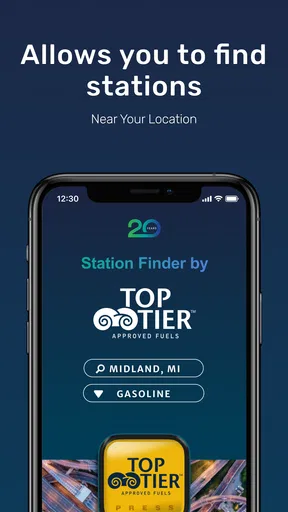
TOP TIER™ Station Finder is an app designed to help users locate gas stations that meet the TOP TIER™ quality standards. These standards ensure that fuel contains detergents and additives to improve engine performance and longevity. The app uses your GPS location to find the nearest certified stations, providing directions, station details, and contact information.
Is the TOP TIER™ Station Finder app free to use?
Yes, the TOP TIER™ Station Finder app is free to download and use on both Android and iOS platforms. There are no hidden fees or in-app purchases, making it accessible for anyone looking to find high-quality fuel stations without any additional costs.
Are all gas stations listed in the app TOP TIER™ certified?
Only gas stations that meet the TOP TIER™ standards are listed in the app. This ensures that users can trust the quality of the fuel they are purchasing. The app updates regularly to include new certified stations, making it a reliable source for finding TOP TIER™ fuel locations.
Can the app be used offline, or does it require an internet connection?
The TOP TIER™ Station Finder app requires an internet connection to provide real-time location services and updated station information. However, once you have searched and selected a station, you can use offline navigation apps to reach your destination if needed.
Does the app provide any additional features besides locating stations?
In addition to locating TOP TIER™ certified stations, the app provides users with directions, station amenities, and contact details. This helps users make informed decisions about where to fuel up based on their specific needs, such as access to a convenience store or car wash services.


